

Key takeaways
- Battery and plug-in devices need no electrical work; the skill is in fitting and mounting them well.
- A wired video doorbell can often reuse the existing low-voltage doorbell wires.
- A new transformer, a floodlight camera in place of a light, or power where there is none today is a licensed electrician’s job.
- A smart lock works only as well as the door: a bolt that drags drains batteries and jams.
- A loose or worn outlet goes to a licensed electrician; if it is warm, scorched or buzzing, turn that circuit off.
In this guide
Three kinds of install, and where the line sits
Smart devices fall into four groups. Battery or rechargeable devices, such as most smart locks and many doorbells and cameras, need no wiring at all. Plug-in devices use an outlet that is already there. Low-voltage devices, such as a wired video doorbell, use the thin wires behind an existing doorbell button; low-voltage work like doorbell and alarm wiring is outside the state electrician license.
The fourth group touches the household wiring: replacing an exterior light with a floodlight camera, a stronger doorbell transformer, a new outlet for a camera or hub, or power where there is none today. Texas requires a state license for electrical work, and a handyman business does not do the licensed part of that trade. For those items we bring in, or refer you to, a licensed electrician, and we’ll tell you up front which items on your list they are. What a handyman should refer out explains the line in more detail.
Smart locks: the door comes first
Most smart deadbolts are made to replace an ordinary deadbolt in the hole that is already in the door. Before buying, check the door’s thickness and the backset, the distance from the door’s edge to the center of the deadbolt hole, against what the lock lists.
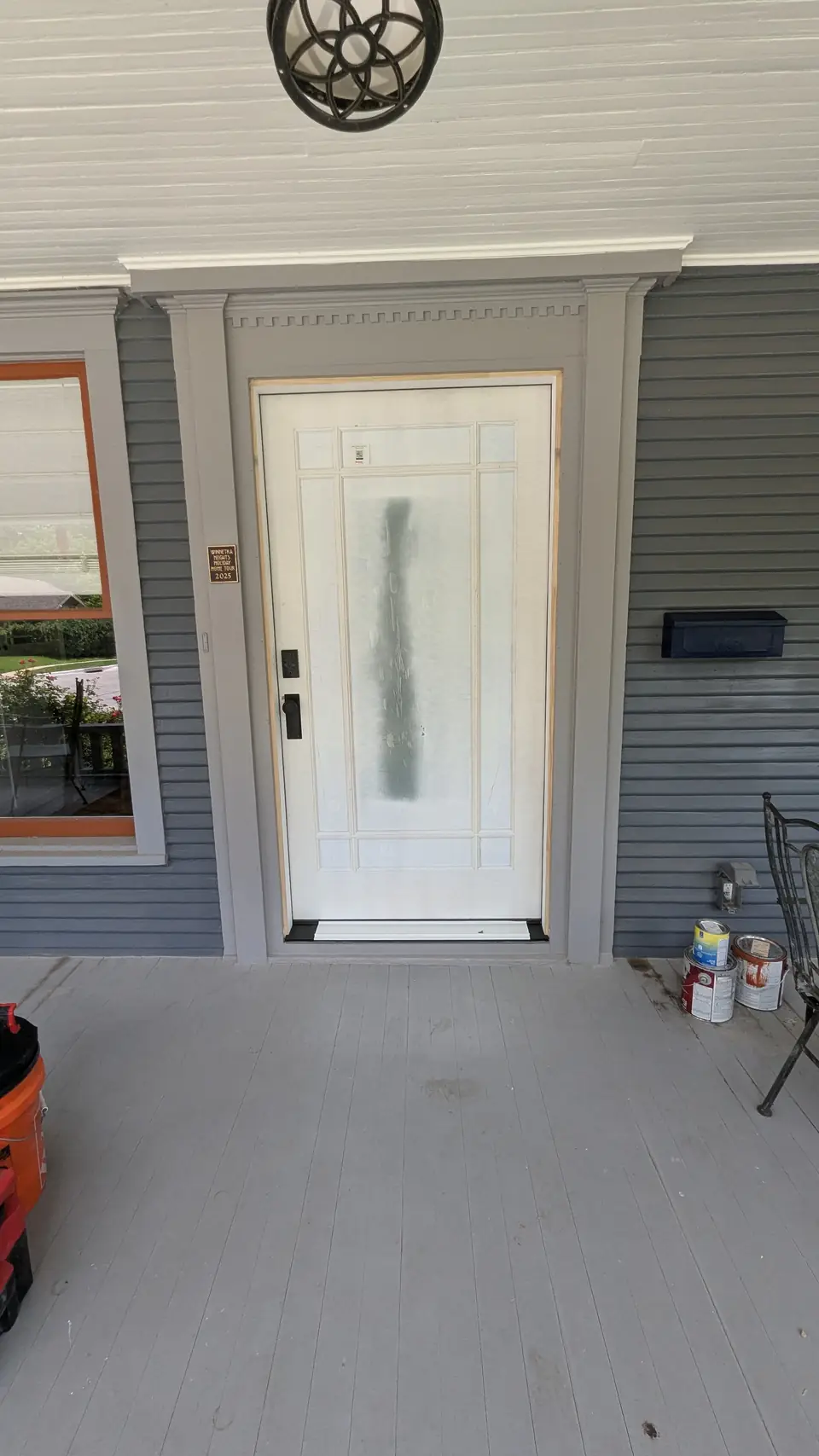
Then test the door. Close it and turn the deadbolt by hand. If you have to push, pull or lift the door to make the bolt throw, a motorized lock will struggle, drain its batteries and jam. Fix that first by tightening the hinges or adjusting the strike; why a door won’t close or latch covers the common causes. Daniel’s front door lock and knob install shows the door edge prepared and the hardware squared for a clean latch. Keep a physical key as a backup, and note that some locks use a Wi-Fi bridge that needs an outlet near the door.
Video doorbells: batteries or the wires already there
A battery video doorbell can go almost anywhere near the door; it needs a solid mount, a good Wi-Fi signal and a regular recharge. A wired video doorbell replaces the existing button and uses the same thin low-voltage wires, which run back to a small transformer and to the chime inside.
Video doorbells draw more power than an old push button, and many older transformers can’t supply enough, which shows up as a doorbell that drops offline or restarts. The transformer connects to household power, often in a closet, the attic, the garage or near the panel, so replacing it is work for a licensed electrician. Check the doorbell’s power requirements before you buy, and if the transformer needs upgrading, the electrician’s visit and the doorbell mounting can be planned together. Some doorbells also need a small adapter at the chime; the maker’s instructions say whether yours does.
On brick, a wedge or angle mount turns the camera toward the walkway, and the anchors go into the mortar joints, which are easier to patch than brick if the doorbell moves later.
Adding a smart lock or camera? Tell Daniel about it
Outdoor cameras without new wiring
Exterior cameras can go up without any new wiring in two ways, and a third option reuses wiring but still needs an electrician:
- Battery or solar cameras mount wherever the view and the Wi-Fi are good. A solar panel needs a spot that gets real sun.
- Plug-in cameras near an existing outdoor outlet, with an outdoor-rated cord clipped neatly along the surface. A power cord should never be run inside a wall.
- Floodlight cameras replace an existing exterior light on its existing box. No new wiring is run, but taking down a light and connecting a new fixture is electrical work, so in Texas that connection goes to a licensed electrician.
Mounting cameras so they work
Placement matters as much as the camera. Mount high enough to be out of easy reach, but low enough to see faces rather than the tops of heads. Check the Wi-Fi signal at the exact spot with your phone before anyone drills. Seal every hole through siding or trim against water, and drill brick at the mortar. Aim cameras at your own property, not into a neighbor’s windows or yard, and check any homeowners’ association rules first. Second-story eaves mean tall ladder work, so mention the height when you ask.
Loose outlets, worn outlets and switches
An outlet that wobbles when you plug something in usually has loosened mounting screws, or an electrical box that sits recessed behind the wall surface, which is common after new tile, paneling or a wall repair. An outlet that won’t hold a plug has worn contacts.
Is it safe to hire a handyman to replace an outlet? Securing or replacing an outlet or switch is electrical work, and Texas requires a state license for electrical work done for a customer. A handyman business does not do the licensed part of the trade, so hire a licensed electrician for it. When an outlet turns up on your list, we’ll tell you, and help you find the right licensed pro. If the wall, tile or trim around the box needs repair afterward, that part is ours. (Homeowners may do some electrical work on the home they own and live in, but city rules and permits can still apply.)
Some signs mean you should call an electrician promptly rather than add it to a list:
- The outlet or switch plate is warm, scorched, discolored, or buzzing.
- A burning smell, sparks, or a breaker that trips when it is used. Turn that circuit off and leave it off.
- A plug that falls out, or an outlet that moves deep into the wall when pushed.
- Several outlets that stopped working at once.
Getting it done
List every device and where it goes. Send a photo of the door edge and the current deadbolt, the doorbell button and the chime, each camera spot with the nearest outlet in view, and links to the products. Set up the app account and enter your Wi-Fi password yourself, so the logins stay yours.
Start with Request service, and see door repair for locks and door hardware. If something on your list touches the household wiring, we’ll say so up front, so the electrician’s part and the mounting can be planned in the right order.